How to print proxy Yu-Gi-Oh! cards correctly
The proxy deck tool by YGOprint is already configured to print proxies at the exact size of real Yu-Gi-Oh! cards (59mm x 86mm, or 2.32in x 3.39in). Just press the "print" button in the proxy deck tool to launch your browser's print preview
Common Printing Issues with Proxy Cards
If your browser's print settings (Chrome, Firefox, Edge, Safari) are incorrect, you may encounter:
- Incorrect card sizes
- Unwanted margins
- Extra lines that waste ink
If this is your first time printing, we recommend doing a test with a single page (9 cards) to confirm everything looks correct before printing the full deck
Print Settings You Must Check
There are only a few settings that truly matter, but you need to double-check them
- Scale or Resizing
Make sure the page is printed at 100% without automatic adjustments - Margins
Disable them or set to "none" or "0". Even with 100% scale, active margins may reduce print area or add unnecessary black borders
Here are examples of how to configure print settings in Chrome and Firefox
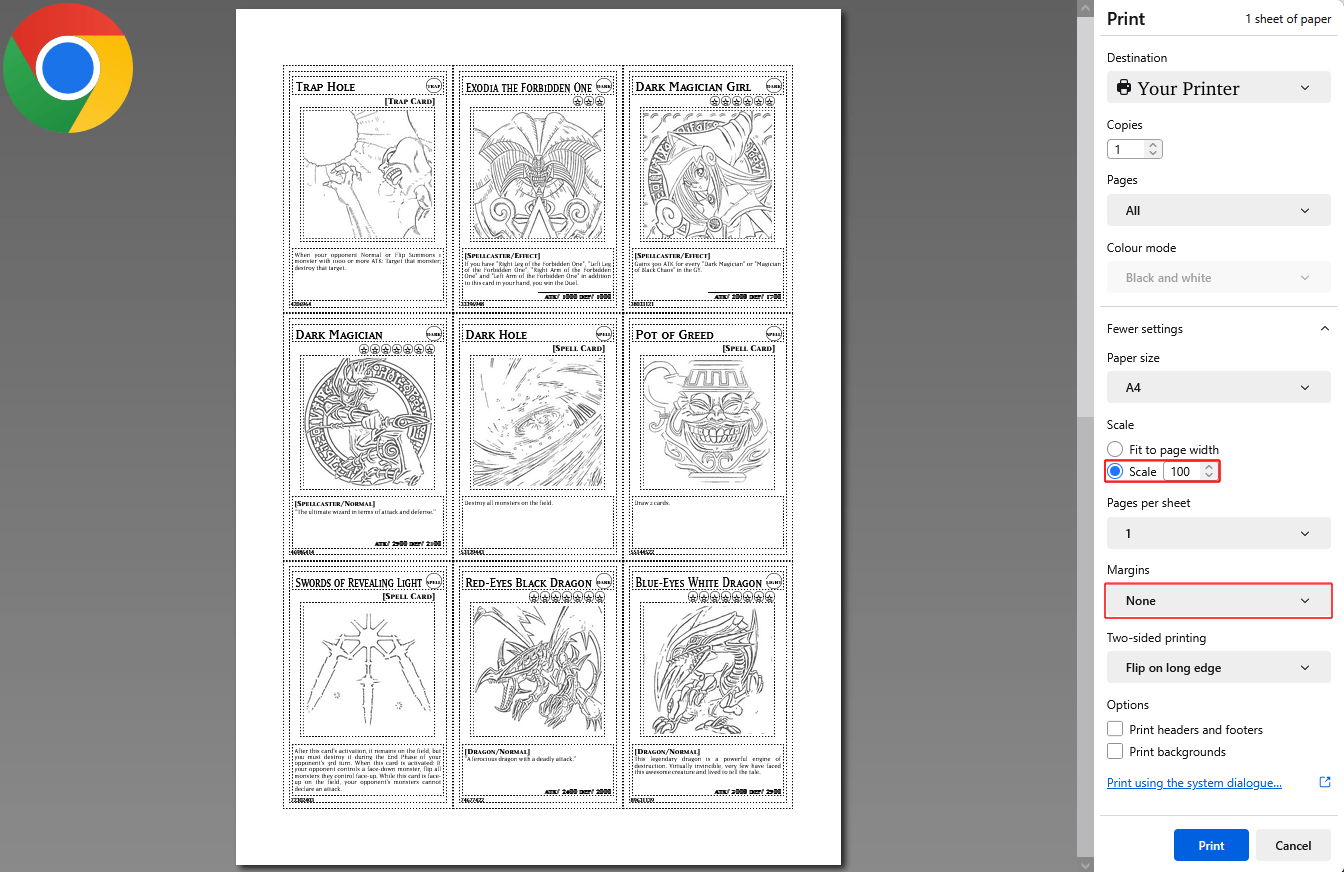
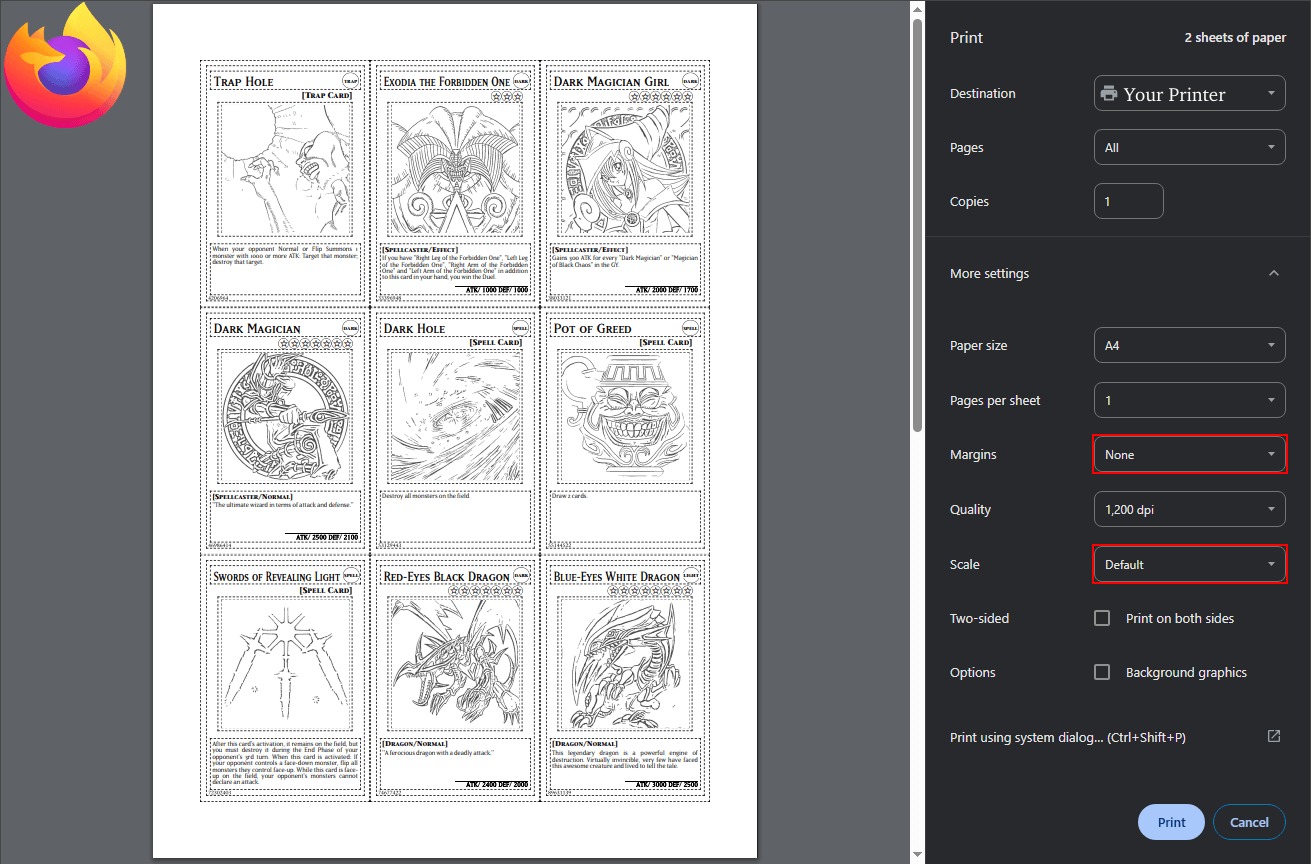
If the printed size is still incorrect, check your printer settings as well and refer to its manual if needed
Best Browser for Printing Proxy Cards
You can use any browser, but based on our testing, Firefox delivers the most accurate print results
For the best quality, we recommend using it
Help Us Improve the YGOprint Tool
Found a bug or have an idea for a new feature? Our developers read every single suggestion. Your feedback has a real impact on how this tool evolves.